






Introduction
The SENTRON 7KM4212-0BA00-3AA0 — widely known as the PAC4200 Power Monitoring Device — is a high-precision, multifunctional energy analyzer designed by Siemens.
This compact yet powerful instrument provides real-time monitoring, power quality diagnostics, harmonic analysis, and multi-protocol industrial communication, making it a top choice for industrial and commercial electrical networks in 2026.
If you are planning to purchase the SENTRON 7KM4212-0BA00-3AA0 PAC4200, you can contact us for global shipping and expert support.
2. Device Overview
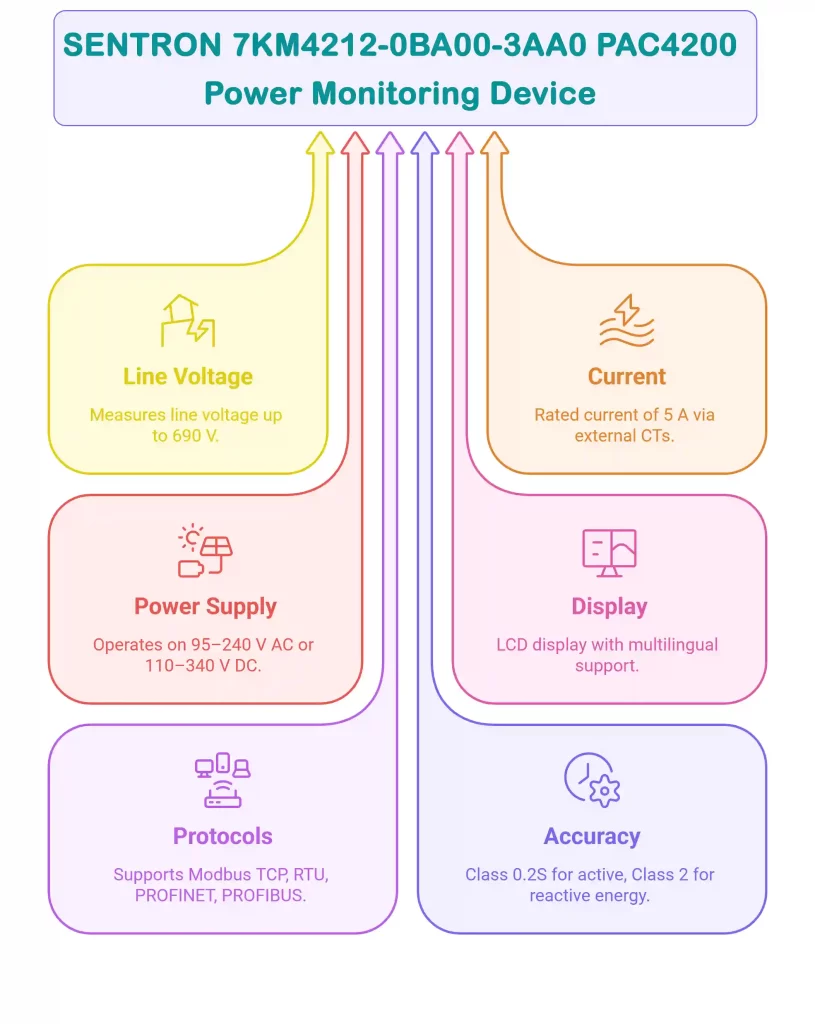
Line Voltage (L-L): 690 V
Line-to-Neutral Voltage (L-N): 400 V
Current: 5 A (via external CTs)
Power Supply: 95–240 V AC / 110–340 V DC
Display: Backlit LCD, multilingual UI (updated fonts & contrast improvements in 2024 firmware)
Supported Protocols:
Modbus TCP (default)
Optional: Modbus RTU, PROFINET, PROFIBUS, DI/DQ
Accuracy: Class 0.2S (Active Energy), Class 2 (Reactive Energy)
Mounting Type: 96×96 mm panel mounting
3. Safety Precautions
Before installation, ensure the following safety standards are met:
Disconnect all power sources.
Installation must be performed by qualified electrical technicians.
Follow IEC 61010-1 safety rules for measurement equipment.
Maintain device temperature between –10°C to +55°C.
Ensure proper ventilation to avoid overheating.
4. Tools and Materials Required
Flat-head screwdriver
Wire stripper suitable for 1.5–4 mm² conductors
Current transformers (1A/5A as required)
Voltage transformers (if system voltage > 690 V)
Ethernet cable for Modbus TCP
Panel cut-out mounting kit (96×96 mm)
5. Mounting Instructions
Prepare a 92×92 mm panel cut-out.
Insert the PAC4200 and secure using side screw-clamp brackets.
Ensure the display is vertical and unobstructed.
Avoid high-humidity, corrosive, or high-temperature areas.
Maintain clearance for wiring and ventilation.
6. Electrical Connections
Voltage Inputs
Connect L1, L2, L3, N to voltage input terminals.
Max conductor size: 4 mm².
For high-voltage systems, integrate external VTs.
Current Inputs
Use CTs rated 1A or 5A.
Observe polarity:
IL1/k → CT (S1)
IL1/l → CT (S2)
Repeat for phases 2 and 3
Configure CT ratio from the device menu or PAC configuration software.
Power Supply
Accepts 95–240V AC / 110–340V DC.
Connect correctly to L/+ and N/- terminals.
7. Communication Setup
Default Interface: Modbus TCP
RJ45 (10/100 Mbps)
Configure network parameters via:
Front-panel menu
PAC Configurator (Windows)
SENTRON digital integration suites (2025+)
Optional Communication Modules
Modbus RTU
PROFINET
PROFIBUS
Digital Inputs/Outputs (DI/DQ)
Parameters you may configure:
IP address
Subnet mask
Default gateway
Baud rate (for serial modules)
Parity & stop bits
8. Configuration and Commissioning
Power on the PAC4200.
Navigate using the 4 front keys.
Set the following parameters:
Language (EN / DE / TR / CN / etc.)
CT / VT ratios
Communication settings (IP, serial config)
Display contrast & brightness
Verify real-time measurements:
Voltage & current
Active/reactive power
Power factor
Harmonics (up to 31st order)
Frequency stability
Purchase Information
Discover full specifications, pricing, datasheets, and worldwide shipping options for the SENTRON 7KM4212-0BA00-3AA0 PAC4200 on the official product page. Compare features with newer PAC models (e.g., PAC2200, PAC3200, PAC5200 upgrades) and choose the right monitoring solution for industrial or commercial applications.
Where can I download the datasheet for 7KM4212-0BA00-3AA0?
✅ You can download the official Siemens 7KM4212-0BA00-3AA0 datasheet directly from our website using the following link:
How to install the Siemens SENTRON 7KM4212-0BA00-3AA0 PAC4200 Power Monitoring Device?
To install the Siemens SENTRON 7KM4212-0BA00-3AA0 PAC4200, follow these steps:
✅Prepare a 92×92 mm cut-out in the panel.
✅Mount the device securely using the provided clamps.
✅Connect voltage and current inputs, ensuring correct polarity.
✅Supply power with 95-240 V AC or 110-340 V DC.
Set up the communication interface (Modbus TCP by default).
Ensure installation is done by qualified personnel and that safety standards are followed.
What is the Siemens SENTRON 7KM4212-0BA00-3AA0 PAC4200 Power Monitoring Device used for?
The Siemens SENTRON 7KM4212-0BA00-3AA0 PAC4200 is a power monitoring device designed to optimize energy management in industrial and commercial electrical systems. It is used to monitor and analyze key electrical parameters such as voltage, current, power consumption, and harmonics. By providing real-time data, this device helps in detecting inefficiencies, improving energy use, and ensuring power quality for cost-effective operations.